Recently, Google has released a new API feature which enables developer to let their users leave review from app.
As Google Play says:
The Google Play In-App Review API lets you prompt users to submit Play Store ratings and reviews without the inconvenience of leaving your app or game.
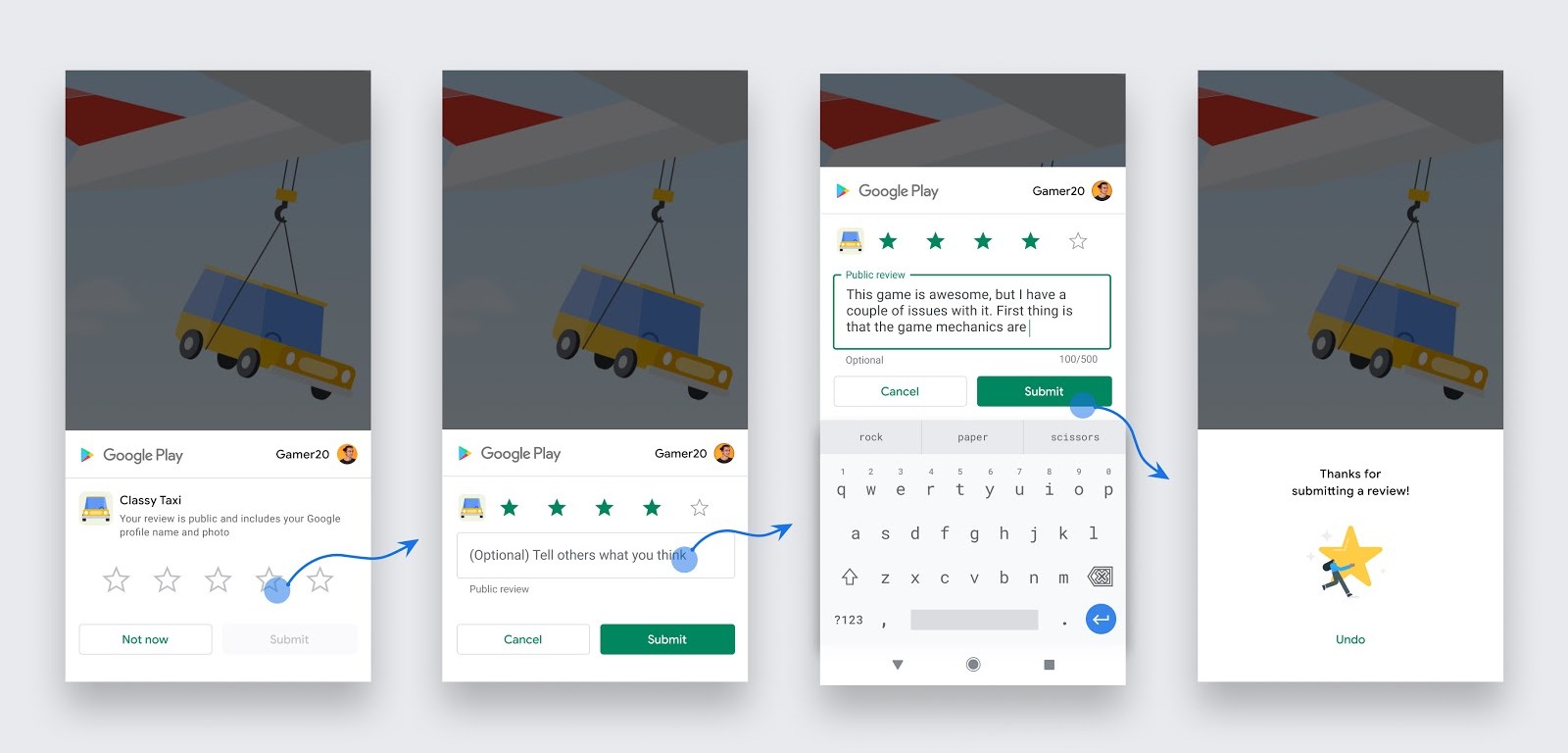
Generally, the in-app review flow (see figure 1) can be triggered at any time throughout the user journey of your app. During the flow, the user has the ability to rate your app using the 1 to 5 star system and to add an optional comment. Once submitted, the review is sent to the Play Store and eventually displayed
This gonna be really helpful for developers. Let’s check out how to integrate it with your React Native App
The Integration (Step 1)
We will use react-native-in-app-review Package
Run
npm i --save react-native-in-app-review
or
yarn add react-native-in-app-review
No additional installation steps are needed.
The Integration(Step 2)
We can now easily import the package to our project.
import InAppReview from 'react-native-in-app-review'
Then call it anywhere like below
InAppReview.RequestInAppReview()
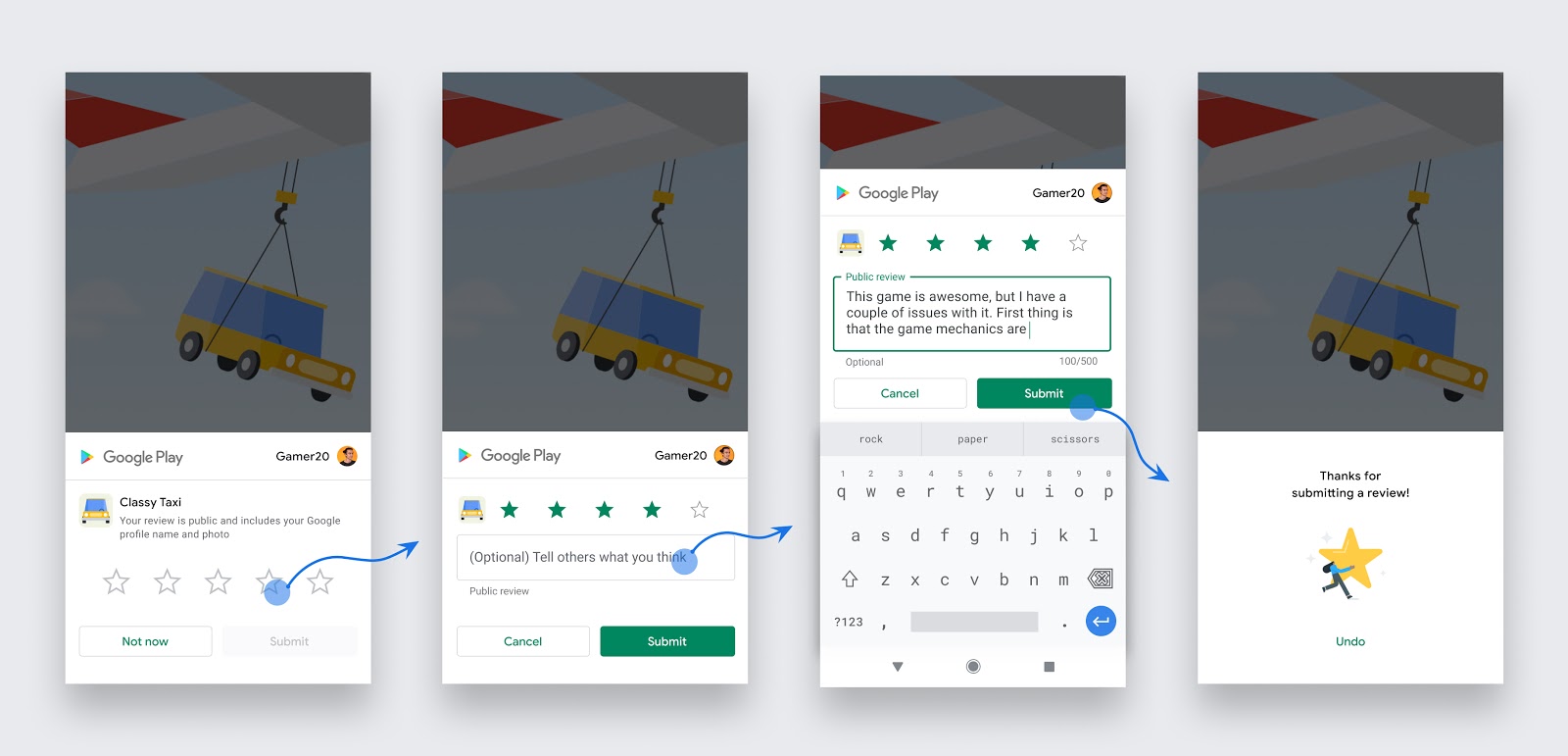
This will prompt a dialog box instantly. Check the screenshots from Google Play official blog.
Important Notes
As Google Says –
Follow these guidelines to help you decide when to request in-app reviews from users:
- Trigger the in-app review flow after a user has experienced enough of your app or game to provide useful feedback.
- Do not prompt the user excessively for a review. This approach helps minimize user frustration and limit API usage (see below).
- Your app should not ask the user any questions before or while presenting the rating button or card, including questions about their opinion (such as “Do you like the app?”) or predictive questions (such as “Would you rate this app 5 stars”).
What is the limit?
This API doesn’t support a call-to-action. So, it might not display the dialog box if you excessively call the API.
Wrapping Up
In a word, this new API is really attractive for developers. But you should care about how you call it. You can call the API after a period of usage which won’t hurt the quota limit
There are also some display guidelines which says:
Surface the card as-is, without tampering or modifying the existing design in any way, including size, opacity, shape, or other properties.
Care about these things and deliver a great experience to your users.
Happy Developing!
 Tech Eggs Daily