
Good UI/UX of Apps is a demand of users. There are many UI Components Library out there for React Native.
React Native Elements is the most popular library, but it doesn’t have enough components for a complete project. So, here, we will discuss on the popular libraries –
- React Native Paper
- Native Base
Let’s start the discussion without wasting time.
React Native Paper
Overview:
- 50,514 Weekly Downloads
- 6.4K stars in GitHub
- 3.65 MB Unpacked Size
- 32 Components
- Cross Platform
Paper is a collection of customizable and production-ready components for React Native, following Google’s Material Design guidelines.
React Native Paper Github
React Native Paper is a beautiful collection of 32 UI components with 1000+ Commits. The Documentation is clear and helpful. With its feature reach library, you can build complete project UI with just this plugin.
React Native Paper comes with Material Icons. This is a free library of Icons by Google. So you don’t need to use any other library for Icons.
It has built-in simple Animations, Interactions which are must for today’s apps.
Another amazing feature of this library is built-in Dark Mode. You can easily implement Dark Mode feature in your App without hassle. This is undoubtedly a useful feature for User Satisfaction.
How to Use?
Install the library using NPM or YARN.
npm i --save react-native-paper
------------------------
yarn add react-native-paper
No additional steps are needed. You can now directly use this library in your project. Check the following example:
import { Button } from 'react-native-paper'

//Further Usage
<Button mode="contained">Hello world!</Button>
Native Base
OverView
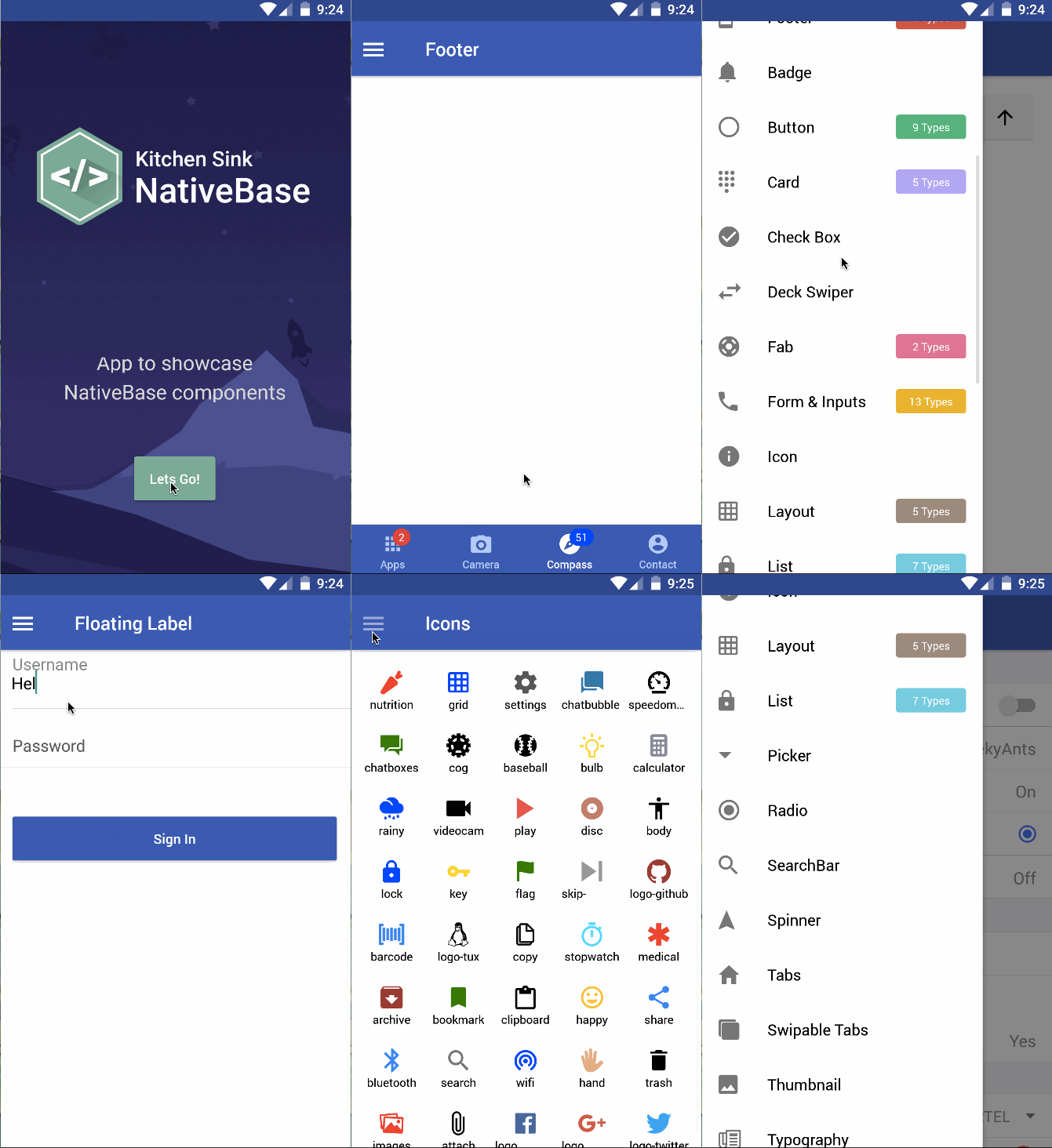
Native Base is called The missing piece of React Native!
- 40, 581 Weekly Downloads
- 14, 400 Stars on GitHub
- 4.25MB Unpacked Size
- 28 Components
- Cross Platform
Native Base is a rich library with good UI and Support.
What is really great with NativeBase is that you can use shared UI cross-platform components, which will drastically increase your productivity. When using NativeBase, you can use any native third-party libraries out of the box.
NativeBase GitHub
Native Base is recommended by Microsoft and used by many apps in production. The following apps are using this library in production.
tilr 
Flynance 
Sols Edu 
Taxi App with Backend 
Dating App 
Dynamic Store
Though the Docs only shows example, doesn’t provide details about usage of the Components, still it’s a good choice.
Native Base has it’s own Marketplace, where you can buy ready-made themes and packages. Native Base is open-source, but the themes are paid. Visit Marketplace
There are some free Starter Kits too. Such As-
- React Native Starter Kit
- Kitchen Sink App
- Twitter Clone
- Native Base To-Do App
- Native Base Tutorial App
Huge shout out to the @NativeBaseIO team. Really nice collection of cross-platform react-native components and killer documentation.
Andrew Fuller on Twitter
In a word, with tons of positive reviews, Native Base is a good choice for Stunning Apps
How to Use?
Installation is as simple as before.
npm i --save native-base
------------------------
yarn add native-base
Then use it simply
import { Container, Content, Header, Button, Text } from 'native-base'

//Further Usage
<Container>
<Header/>
 <Content>
  <Button>
   <Text>Hello</Text>
  <Button>
 </Content>
</Container>
Last Words
Both React Native Paper and NativeBase is a good choice for Modern Apps. If you look at the popularity, Paper will win the game. Paper also contains more components than NativeBase.
But NativeBase stands out for more collections, themes and ease.
So, it actually depends on you, which one to choose for the best performance.
Let me know in the Comments, which one you choose finally and why.
Happy Developing
 Tech Eggs Daily