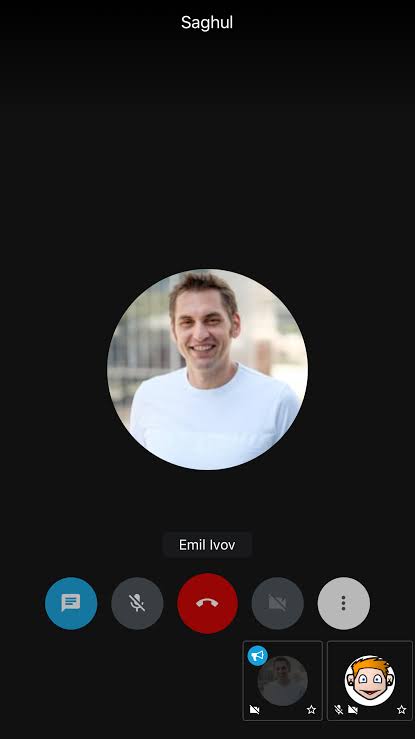
There is no doubt, we will use WEBRTC. But you may ask, how can be it possible to build a working app with webrtc within 10 minutes?
The Answer: We will use the open-source solution for building complete Meeting App. It’s Jitsi-Meet
Jitsi Meet is a complete solution with a large community. This is feature rich, standalone solution. The good news is, Jitsi SDK is available for react-native too! The official library works fine across all platforms.
Before continuing, you may want to see a demo. The following is a web demo but similar to the mobile solution.
Step 1: Install Library
Simply install the library using npm or yarn
npm -i react-native-jitsi-meet --save

--------------------------

yarn add react-native-jisti-meet
If you are using React-Native < 0.60, you should use a version < 2.0.0.
For versions higher than 2.0.0, you need to add the following piece of code in your metro.config.js file to avoid conflicts between react-native-jitsi-meet and react-native in metro bundler.
const blacklist = require('metro-config/src/defaults/blacklist');module.exports = {resolver: {blacklistRE: blacklist([ /ios\/Pods\/JitsiMeetSDK\/Frameworks\/JitsiMeet.framework\/assets\/node_modules\/react-native\/.*/, ]),},};
There are some important installation steps for IOS. Check it out here: https://github.com/skrafft/react-native-jitsi-meet#ios-configuration
Step 2: Include and Use
Include Library like this
import JitsiMeet, { JitsiMeetView } from 'react-native-jitsi-meet'You can use it very easily where you want
<View style={{ backgroundColor: 'black',flex: 1 }}><JitsiMeetView onConferenceTerminated={this.onConferenceTerminated}onConferenceJoined={this.onConferenceJoined}onConferenceWillJoin={this.onConferenceWillJoin}style={{ flex: 1, height: '100%', width: '100%' }}/></View>
Make sure the styles are same as it is. Or, the UI may create issues
You need to create the meeting in componentDidMount (recommended)
componentDidMount() {setTimeout(() => {const url = 'https://your.jitsi.server/roomName'; // can also be only room name and will connect to jitsi meet serversconst userInfo = {displayName: 'User',email: 'user@example.com', avatar: 'https:/gravatar.com/avatar/abc123'};JitsiMeet.call(url, userInfo); /* You can also use JitsiMeet.audioCall(url) for audio only call *//* You can programmatically end the call with JitsiMeet.endCall() */}, 1000);}
Jitsi-meet has three native events. You should declare them in constructor.
onConferenceTerminated(nativeEvent) {/* Conference terminated event */}onConferenceJoined(nativeEvent) {/* Conference joined event */} onConferenceWillJoin(nativeEvent) {/* Conference will join event */}
That’s all for your awesome meeting app! Jitsi-meet is end-to-end encrypted. Screen sharing is coming soon in mobile. Here is a complete example:
import React from 'react';import { View } from 'react-native';import JitsiMeet, { JitsiMeetView } from 'react-native-jitsi-meet';class VideoCall extends React.Component {constructor(props) {super(props);this.onConferenceTerminated = this.onConferenceTerminated.bind(this);this.onConferenceJoined = this.onConferenceJoined.bind(this);this.onConferenceWillJoin = this.onConferenceWillJoin.bind(this);}componentDidMount() {setTimeout(() => {const url = 'https://your.jitsi.server/roomName'; // can also be only room name and will connect to jitsi meet serversconst userInfo = { displayName: 'User', email: 'user@example.com', avatar: 'https:/gravatar.com/avatar/abc123' };JitsiMeet.call(url, userInfo); /* You can also useJitsiMeet.audioCall(url) for audio only call *//* You can programmatically end the call with JitsiMeet.endCall() */}, 1000);}onConferenceTerminated(nativeEvent) {/* Conference terminated event */}onConferenceJoined(nativeEvent) {/* Conference joined event */}onConferenceWillJoin(nativeEvent) {/* Conference will join event */}render() {return (<View style={{ backgroundColor: 'black',flex: 1 }}><JitsiMeetView onConferenceTerminated={this.onConferenceTerminated}onConferenceJoined={this.onConferenceJoined}onConferenceWillJoin={this.onConferenceWillJoin}style={{ flex: 1, height: '100%', width: '100%' }}/></View>);}}export default VideoCall;
Further Issue Solutions
The most disgusting issue happens for this library is duplicate of classes. You need to exclude some classes in app/build.gradle
implementation(project(':react-native-jitsi-meet')) {

exclude group: 'com.facebook.react',module:'react-native-locale-detector'

exclude group: 'com.facebook.react',module:'react-native-vector-icons'

exclude group: 'com.facebook.react',module:'react-native-fetch-blob'

exclude group: 'com.facebook.react',module:'react-native-svg'

exclude group: 'com.facebook.react',module:'react-native-webview'

exclude group: 'com.facebook.react',module:'react-native-linear-gradient'

exclude group: 'com.facebook.react',module:'react-native-community-async-storage'

exclude group: 'com.facebook.react',module:'react-native-google-signin'

exclude group: 'com.facebook.react',module:'react-native-community_netinfo'

exclude group: 'com.facebook.react',module:'react-native-sound'

}
You should use at least minsdk 21 for Android.
Conclusion
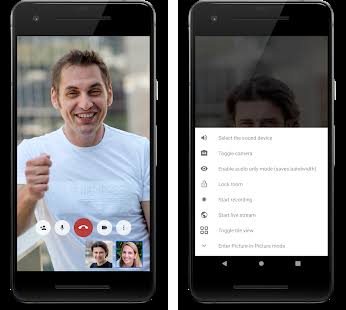
That’s it for this article. Though, real WEBRTC is more critical than this, this project is open-source. You can freely contribute and make changes in it!
If you enjoyed it, don’t forget to share with others. If you have any question, comment below!!
 Tech Eggs Daily